Stop leaking secrets into your AI chats.
Privacy Shield catches API keys, passwords, and other secrets the instant you paste them — into ChatGPT, Claude, a support ticket, anywhere — and blocks them before they land. Detected entirely on your device. Nothing is ever sent anywhere.
One-time purchase · No account required · Works in seconds
It only takes one paste.
Debugging with an AI assistant means pasting real context — stack traces, config files, curl commands. The secret is almost never the point of the paste, which is exactly why it's easy to miss.
DATABASE_URL=postgres://user:••••••••@host:5432/db
Authorization: Bearer sk_live_••••••••••••
card_number=4111 •••• •••• 1142
What you actually get
Not a vague promise of "safety" — specific, concrete things that change the moment you install it.
Catch mistakes before they're permanent
Once a secret is sent to an AI provider, it may be logged or used for training — gone for good. Privacy Shield catches it before that ever happens.
Protected from install
No setup required. Every paste on every site is checked immediately.
Works everywhere
Gmail, Slack, a Jira comment — any site, any paste. Not limited to a curated list.
You stay in control
Three paste-behavior modes, per-category toggles, and your own custom rules.
Pay once. That's it.
No subscription, no recurring charge. One payment, yours to keep.
Four steps, all of them local
Nothing is sent anywhere, and nothing is inserted until you decide.
You paste, anywhere
Into ChatGPT, Claude, Gmail, a support ticket — any page. Only reacts to a real, trusted paste.
Checked against 15+ categories, on your device
API keys, cloud credentials, tokens, private keys, database URLs, and more — matched locally. No AI model, no network call.
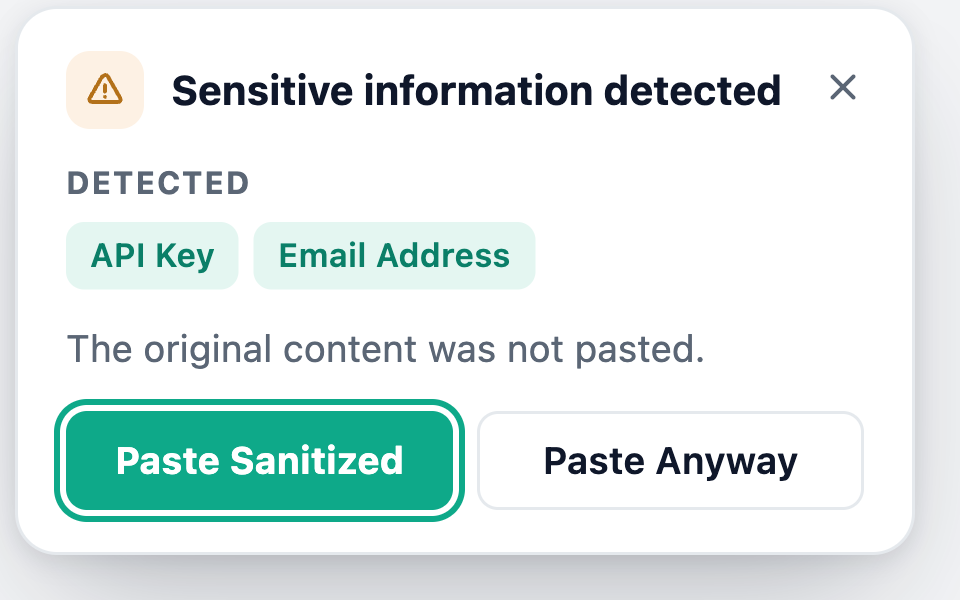
If something's found, the paste is held
Not silently changed, not silently allowed — held, with a plain note on exactly what was detected. Never the value itself.
You decide, in one of three ways
Paste Sanitized swaps the secret for a placeholder. Paste Anyway needs a second, explicit confirmation. Cancel pastes nothing.
What it catches
Where does the data actually go?
Nowhere. That's the whole policy — here's the specific, checkable version of it.
Detection runs entirely in your browser. No AI model, no API call, no network request of any kind for the paste-checking itself.
The original sensitive text is never sent anywhere — not to a server, not to us. It exists in memory only for the instant it takes you to decide what to do with it.
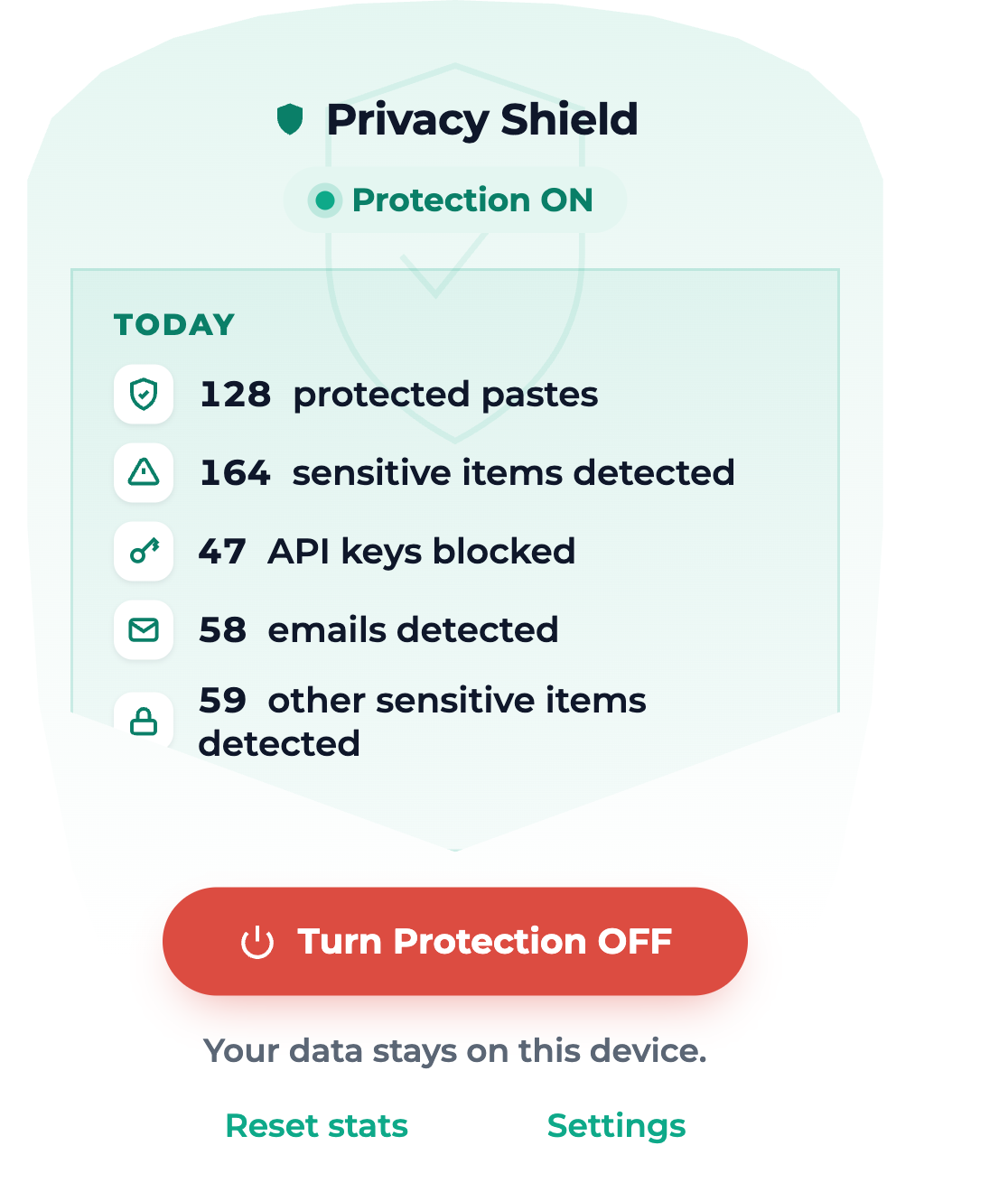
Local statistics are counts only. "3 API keys blocked today" is stored — never the key itself.
The only thing that ever leaves your device is your license key, sent once to verify your purchase.
One-time purchase. No subscription.
Pay once, use it for as long as you like. Each Chrome profile counts as one activation — a Work + Personal profile split on one laptop is two.
- ✓ All 15+ detection categories
- ✓ Custom detection rules
- ✓ All three paste-behavior modes
- ✓ 1 browser profile
- ✓ Everything in Personal
- ✓ Use across Work + Personal profiles
- ✓ Covers most multi-profile setups
- ✓ 3 browser profiles
Questions people actually ask
Does this ever send my pasted data anywhere?+
No. Every check happens in local code inside your browser. There's no server behind Privacy Shield that sees pasted content, and no analytics pipeline that touches it either.
Does it work on every website?+
Yes — it watches for real paste events on any site, not just AI chat tools. Recognized AI sites get a small "Protected" indicator, but protection itself is identical everywhere.
What if it flags something that isn't actually sensitive?+
Click "Paste Anyway" — it's always one deliberate confirmation away. Or turn off the specific category (or the whole thing, for one site) in Settings.
What counts as a "browser profile"?+
A Chrome profile, not a physical device. If you keep Work and Personal as separate Chrome profiles on one laptop, that's two profiles — the Multi-profile plan covers that kind of split.
Is there a free trial or free tier?+
No — this is a one-time purchase with nothing gated or crippled to unlock later. What you see here is the whole product.
Can I get a refund?+
Yes, within 14 days of purchase — see the Terms & Conditions for the full policy.
Stop finding out the hard way.
One-time purchase. Protected in seconds. Nothing ever leaves your device but your license key.
Get Privacy Shield